Affiliate disclosure: we may earn a commission if you buy through our Pagewheel link. You do not pay extra. On October 9, 2026 we read pagewheel.com as build before you pay: hosting from $10 a month for one live page, a custom domain, and Stripe or PayPal, or $47 a month for unlimited pages, advanced funnels, email capture, and priority support. A separate sales page advertised seven days, then $47 a month. If a blog and a checkout disagree, the billing screen wins.
Maya has eight coaching clients and one package she can describe on a call. Priya has a single ebook. Andre promotes one vendor offer and does not own the cart. They can open the same builder and still need different first screens. Pagewheel templates are that first screen: a stack of sections, not a finished pitch.
What a starter layout is doing
A layout saves the blank-page hour. It puts a headline, a problem, an offer, and a button in an order a stranger can scan. It does not know Maya’s package name, Priya’s refund rule, or the fact that Andre is not the company.
Pagewheel templates only help when the next action is obvious. Buy the book. Book the package. Leave for a vendor you named. If a layout asks for three decisions, it is the wrong first publish. Delete sections until one action remains.
The Pagewheel template library is the pile you choose from, and public pages do not agree on its size. The main site, read October 9, 2026, cites 100+ templates. A separate sales page cites about 30+. PlainSaaS, describing prices it says it read on October 4, 2026, prints 37 templates and 600+ ready-to-sell products. Open the picker. Use what you can click.
Sales page templates and the shorter pages
Sales page templates are the layouts most solo sellers open first. They assume a headline, a problem, an offer, proof, and a button. Maya can use that order for a package. Priya can use it for a book. Andre should strip any block that pretends he runs the checkout.
Sales page templates still need a price a person can see without hunting. Buyers comparing a coach with a course they could take alone want the fee, the length of the work, and what is not included. If the number sits under a long bio, move it.
Landing page templates cover a thinner job: a lead, a webinar seat, or a waitlist. They are shorter on purpose. Maya might use one later for a workshop, after the package page already says who it is for. A waitlist with no date collects addresses you cannot serve.
Landing page templates are a poor home for a brochure. On the pages we checked, this product is built around an offer URL.
Funnel templates and the chain after the click
Funnel templates chain pages so a click has a next step. A sales page, a checkout, and a delivery note are the usual trio. The Digistore24 affiliate offer, which we are labeling as advertising rather than a lab test, mentions thank-you and delivery pages plus built-in welcome emails. Confirm those screens before you promise a file or a calendar link.
Funnel templates that include bumps assume you control the cart. Andre does not. A bridge plus an optional thank-you is enough, and the thank-you should say the reader left for the vendor on purpose.
Pagewheel templates for a thank-you and a delivery page count as pages if they are public. The $10 line hosts one live page. A second public URL is the $47 plan. Drafts that stay unpublished are not the bill.
A coaching template for a small roster
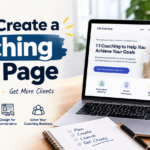
A coaching template gives Maya room for the package, the people it suits, and how a session works. Her proof is the work with eight clients, not a wall of logos. She should delete any block that wants a quote she does not have.
A coaching template can keep its section order while she rewrites every heading. “I help you step into your next level” could sit on any practice. “I work with analysts who want a promotion case in six sessions” is a practice, and only if it is true.
Pagewheel templates will not choose between “book a call” and “buy the package.” She should pick the action that matches how she starts. Two buttons split a small audience. A referral should understand the package in a minute: name, who it is for, price, and what happens next.
An ebook template for one file
An ebook template is the closest start for Priya. It should carry the title, who it is for, what is inside, and how to buy. She should not bolt on a coaching upsell she does not sell.
An ebook template does not know her chapter list unless she pastes it. Then she deletes any bonus the draft invented. If the file cannot be returned, she writes the rule she actually keeps.
Pagewheel templates will not choose file versus checkout for her. The button should say which one the reader gets. If a first email carries the link, that step is described on public sales pages. She should click it on a phone before launch. Sample lines that invent a community come off the page. She does not have one.
What Andre should not borrow
Layouts built for a creator’s checkout will over-promise on Andre’s bridge. His page should pre-sell the offer, then send the click to the vendor. Readers should know they are about to leave. He writes the commission line himself. Cloaking the outbound link is a bad trade for a cleaner button.
Pagewheel templates can still give him a headline, a reason, and a button. The reason has to be something he would tell a colleague. If he has not used the offer, he says so. He does not inflate the vendor’s claims or grow a countdown the vendor did not publish.
Why the library counts disagree
The Pagewheel template library is cited two ways on pages we opened the same week, and a third way on PlainSaaS. Andre needs the bridge. Priya needs a book page. Maya needs a package page. Count what you can start from inside the product.
A GitHub gist from March 12, 2026 and Your Entrepreneur Resources print a Starter near $27 a month and an Enterprise line near $99, and they name Rachel Miller, Holly Homer, and a 2023 launch as Bizzy. We did not see $27 or $99 on pagewheel.com on October 9.
Pagewheel templates you cannot see are not part of the launch. If the ebook group looks thin, start from a simple sales layout and rename the sections. If a webinar layout assumes a video you have not filmed, delete the hole or film the video.
Edit, then decide the page is public
A layout plus an AI draft still leaves sentences that could belong to anyone. Read the page aloud. Cut lines you would not say to a person who is about to pay. Full and clear are different.
Pagewheel templates do not change the hosting decision. You can build before you pay. The bill starts when a URL goes live. A pretty unpublished draft does not need a monthly plan. A page that takes money does.
Which plan matches the URLs you will leave up
One sales page matches the $10 line: one live page, a custom domain connection, and Stripe or PayPal. A registrar’s fee and the processor’s fees sit outside the subscription. Digistore24 appears on some sales paths. We are not folding those into the $10.
The $47 plan is unlimited pages, advanced funnels, email capture, and priority support. The affiliate offer advertises $10 a month for one sales page and one complete funnel, then $47, plus a 30-day money-back line, a 7,000+ community, and weekly calls. Those are advertised lines, not a lab test. PlainSaaS says it did not fully read the money-back terms. Its order form, as that review describes it, was $47 up front and $47 a month, with no trial on that form.
| What we read | Source | What it said |
|---|---|---|
| Host line | pagewheel.com, October 9, 2026 | $10 a month, one live page, custom domain, Stripe or PayPal |
| Larger plan | pagewheel.com, October 9, 2026 | $47 a month, unlimited pages, advanced funnels, email capture, priority support |
| Trial page | Separate sales page, October 9, 2026 | Seven days, then $47 a month, about 30+ templates |
| Library line | Main site, October 9, 2026 | 100+ templates |
| Affiliate offer | Advertised, not a lab test | $10 for one sales page and one funnel, then $47 |
Three months at $10 is $30. Three months at $47 is $141. A seven-day trial, then $47, is a different screen from “build before you pay.” Plan notes sit at affiliatesmanual.com/offer. The product site is pagewheel.com.
Maya’s package plus a confirmation is two live URLs, so that set is the $47 description. Priya can keep one book page on $10. Andre can keep one bridge if the vendor’s site is the next step. Pagewheel templates are the menu. Match the plan to the URLs you will leave up.
FAQ
How many Pagewheel templates can I actually start from?
The main site cites 100+ templates, a separate sales page cites about 30+, and PlainSaaS prints 37 from a reading it dates to October 4, 2026. Open the picker and use the count you can click. Pagewheel templates you only saw in a roundup are not part of the launch.
Can I rewrite a layout before I pay to host it?
Yes. On the path pagewheel.com described on October 9, 2026, you can build before you pay. Pagewheel templates stay editable in that draft, so rewrite the headline, the price, the proof, and the button before a card is involved. Hosting at $10 a month covers one live page, and a second public URL points at the $47 plan.
Do these layouts include checkout and a delivery page?
Sales layouts are meant to reach a checkout and a handoff. Stripe or PayPal is the pair named on the $10 line. Thank-you pages, delivery pages, and welcome emails are advertised on the affiliate offer. Pagewheel templates do not replace a small test purchase before you promise a file.
Is a coaching layout the same as a full website?
No. A coaching layout is a package page: who it is for, what a session is, and what it costs. Maya can publish one package URL on the $10 plan. A confirmation page beside it is a second live URL and belongs on the $47 description.
What should I do if the ebook section looks thin?
Start from the closest sales layout and rename the sections to match the book. Paste the real chapter list and delete bonuses you do not ship. Pagewheel templates are the frame. The button should say whether the reader pays you or receives a file link you have already clicked on a phone.